Price Lining: Definition, Examples & How to Set It
Price lining is the practice of selling all the products in a category at a small number of set price points, such as $25, $35 and $48, instead of giving every item its own price. Each price point stands for a quality level, so shoppers compare tiers rather than individual price tags. It makes a catalog easier to shop, steers buyers toward the middle tier, and makes pricing decisions simpler, as long as the gaps between lines are clear and every product in a line can carry its price.
What Is Price Lining?
With price lining, you decide on a few price levels for a category first, then place each product on one of them. A clothing store might sell every t-shirt at $25, $35 or $48. A kitchen shop might line its knives at $40, $80 and $150. The individual cost of each item still matters, but it determines which line a product goes on, not a unique price.
The idea is old (department stores used it long before ecommerce), and it works for a simple reason: most shoppers can't judge the quality difference between a $31 and a $34 shirt, but they can understand "basic, better, best".
Price Lining vs Similar Strategies
| Strategy | What varies | Example |
|---|---|---|
| Price lining | Different products sold at a few fixed price points | Every tee at $25, $35 or $48 |
| Good-better-best | Three versions of one product at rising prices | Standard, deluxe and premium versions of the same blender |
| Tiered or volume pricing | Price per unit by quantity bought | $10 each, or $8 each for 5 or more |
| Segment pricing | Price by customer group | Student and trade price lists |
| Keystone pricing | Price set from cost with a fixed multiple | Retail price = cost × 2 |
Good-better-best is really price lining applied to a single product family, and the two are often used together.
A Real Example: Apple's iPhone Line
Apple's US iPhone lineup is a clear current example. On Apple's store in November 2026, iPhone 17e starts at $699, iPhone 16 at $799, iPhone 17 at $899, iPhone Air at $1,099, iPhone 18 Pro at $1,199 and iPhone Duo at $1,999. Each step is a round, memorable price that signals a tier, and the gaps are large enough that shoppers decide which level they want before they compare specifications. Few shoppers ask whether a phone is worth $1,099; they ask whether they want the Air level or the Pro level.
Why Price Lining Works
- It reduces decision effort. Three clear levels are easier to choose between than twenty slightly different prices.
- It steers shoppers to the middle. Itamar Simonson and Amos Tversky's research on extremeness aversion, published in the Journal of Marketing Research, found that an option becomes more attractive when it sits in the middle of a set and less attractive when it is an extreme. A top line makes the middle line feel like the sensible choice.
- It simplifies merchandising. Buyers source to a target price point, and promotions, landing pages and ads can be built around lines rather than items.
- It makes price changes easier to manage. You review three price points instead of every SKU, then move products between lines when costs or demand change.
Price lining shares its psychology with price anchoring and price priming: the top line frames how the others are judged.
See what Zorin's elasticity model says about your own catalog.
Start free trialWorked Example: Lining a T-Shirt Collection
A clothing store sells 24 t-shirts at 14 different prices between $22 and $41, about 1,000 units a month. The average selling price is $31.50 and the average landed cost $14.50, for $17,000 of monthly gross profit. Shoppers find the range hard to read, so the store groups the shirts into three lines by fabric and cost:
| Line | Price | Highest cost in line | Margin at that cost | Share of units (after) | Units | Gross profit |
|---|---|---|---|---|---|---|
| Essential | $25 | $10.50 | 58% | 30% | 300 | $4,350 |
| Core | $35 | $15.00 | 57% | 50% | 500 | $10,000 |
| Premium | $48 | $22.00 | 54% | 20% | 200 | $5,200 |
| Total | 1,000 | $19,550 |
Gross profit is calculated at each line's highest cost, so the real figure would be slightly better. If the same 1,000 units sell with half of them in the middle line, gross profit rises about 15%. That mix is an assumption, not a promise: the point of the exercise is to set the lines, then measure what actually happens to the mix and the total. If unit sales fall at the new price points, the gain shrinks, which is why each line's price should be checked against how its products respond to price before you commit.
How to Set Up Price Lining, Step by Step
- Group products by perceived quality and cost. Fabric, materials, brand, features. Products in a line should feel similar to a shopper.
- Choose three or four price points with clear gaps. Gaps of roughly 30% or more between lines make the difference obvious; $35 next to $38 isn't a line, it's noise.
- Price each line from its most expensive product. The line price must clear your target margin on the highest-cost item in it, or that item quietly loses money. Our margin vs markup guide has the conversion formulas.
- Make the difference visible. Name the lines, explain what moves a product up a line, and show them together so shoppers compare tiers.
- Measure each line separately. Track units, mix and gross profit per line for a month or two after the change.
- Move products, not prices, first. If a product sells strongly in its line, test it one line up. If it stalls, move it down, rather than inventing a new price point between lines.
When Price Lining Doesn't Fit
- Costs within a category vary too much. If one item costs $9 and a similar one costs $19, a shared line price either overprices the first or squeezes the second.
- Shoppers compare identical items across stores. For branded products sold everywhere, the market sets each price, and lining your own levels won't hold.
- Costs rise unevenly. A supplier increase can push some items in a line below your margin floor, forcing a re-line. Review lines whenever costs change.
- Demand varies a lot within a line. Two shirts at $35 may respond to price very differently; one might sell just as well at $48.
Choosing Which Line Each Product Belongs On
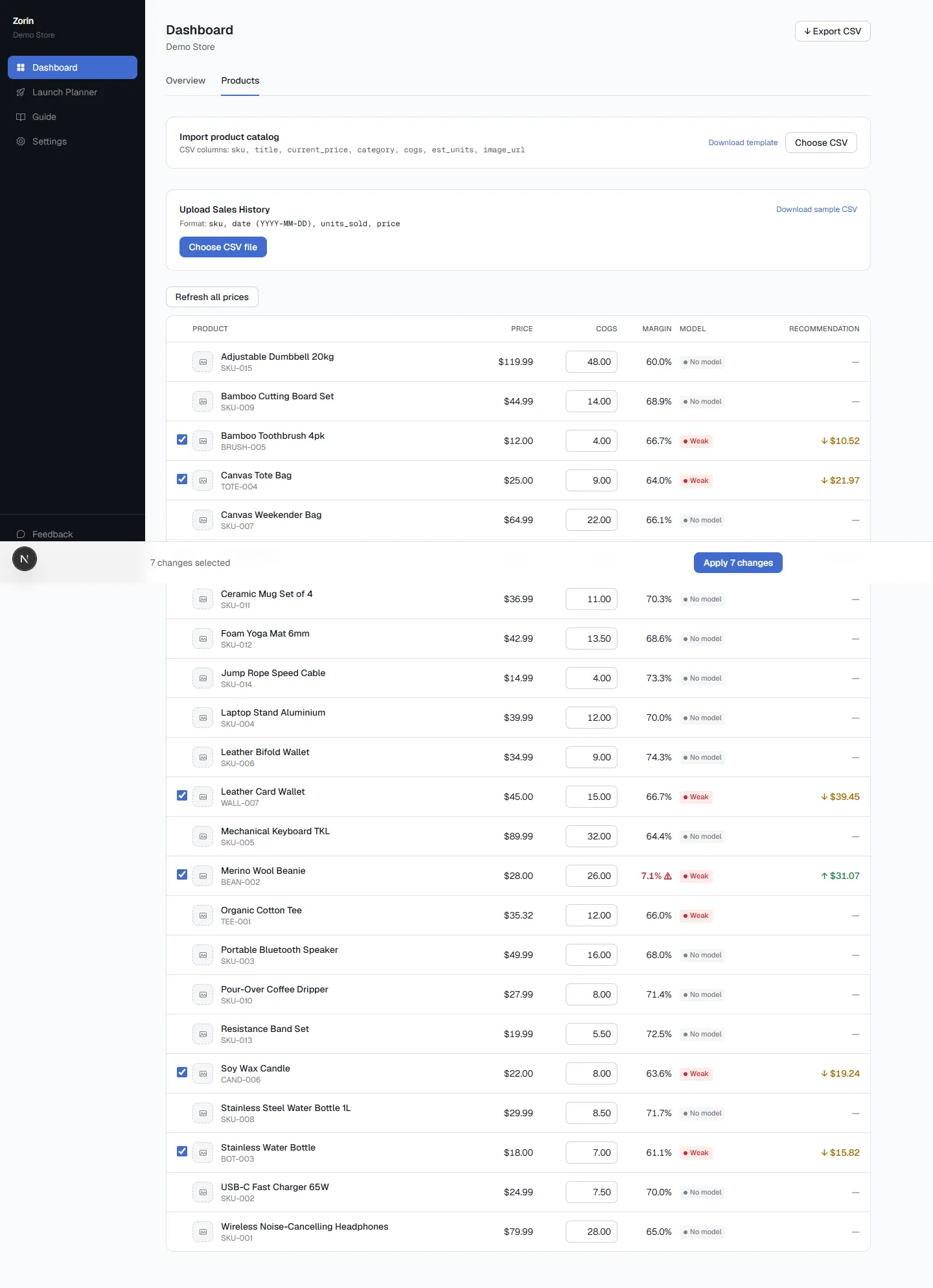
That last point is where data helps most. Zorin reads your Shopify or WooCommerce sales history and fits a price elasticity model for each product, with a confidence score and a raise, lower or hold recommendation. A product with a strong raise recommendation is a candidate to move up a line; one that's already price-sensitive belongs where it is. For new products with no history, Zorin's Van Westendorp survey gives you the price range customers find acceptable, which tells you which line a product can credibly sit on.
Key Takeaways
- Price lining sells a category at a few set price points, each signaling a quality level, instead of a unique price per item.
- Apple's US iPhone line runs from $699 to $1,999 in a handful of clear steps, a current example of the approach.
- Research on extremeness aversion shows options look more attractive in the middle of a set, so a top line lifts the middle line.
- Price each line from its highest-cost product, keep gaps of about 30% or more, and measure mix and profit per line.
- Move individual products between lines based on how they respond to price, rather than adding new in-between price points.
Frequently Asked Questions
What is price lining?
Price lining is a pricing strategy where a retailer sells all products in a category at a small number of set price points, such as $25, $35 and $48. Each price point represents a quality level, so shoppers choose a tier instead of comparing many individual prices.
What is an example of price lining?
Apple's US iPhone range is one: in November 2026 models started at $699, $799, $899, $1,099, $1,199 and $1,999. In retail, a store selling every t-shirt at $25, $35 or $48 depending on fabric is using price lining.
What is the difference between price lining and good-better-best pricing?
Good-better-best offers three versions of one product at rising prices. Price lining sets a few price points for a whole category and places different products on them. Good-better-best is essentially price lining within one product family.
What are the advantages of price lining?
It makes a catalog easier to shop, steers shoppers toward the middle tier, simplifies buying and merchandising, and reduces how many individual prices you need to manage.
What are the disadvantages of price lining?
Products with very different costs can't share a line without some being overpriced or under-margined, uneven cost increases can force you to re-line, and products in the same line may respond to price very differently.
How many price lines should a store have?
Three or four per category is typical. Fewer than three loses the middle-option effect; more than four starts to recreate the confusion price lining is meant to remove.
Price lining turns a messy price list into a few clear choices, and the middle line usually does more work than you'd expect. The hard part is deciding which products belong on which line. To see how each of your products responds to price before you line them, try Zorin free.
Written by Dexter
Dexter is part of the team at Zorin, building tools that help ecommerce merchants price with data instead of guesswork.
More in Pricing Fundamentals & Strategy
View all →Value-Based Pricing: How to Calculate It (Example)
Value-based pricing sets price by what a product is worth to the customer. The EVC method step by step, a worked example, and why most firms resist it.
Competitor Undercutting Prices? Don't Match Yet
A competitor cut their price? Don't match yet. Three checks and a simple break-even rule that shows when matching pays and when holding wins.
Segment Pricing: How to Charge Different Customers
Segment pricing charges different customer groups different prices. Types, price fences, a worked student-discount example and where the legal line is.