WooCommerce Pricing Plugins: What to Look For
Most WooCommerce pricing apps fall into three categories that behave nothing alike: rule-based discount plugins that apply fixed markdowns, wholesale plugins that show different prices to different customer roles, and competitor repricers that match or undercut whatever another store charges. None of them, on their own, answer the actual question merchants are trying to solve, which is what your own customers will pay for a specific product. That gap is exactly what an elasticity-based tool like Zorin is built to close.
The Myth: "Pricing App" Means One Thing
Search for a WooCommerce pricing plugin and you'll find dozens of tools all describing themselves the same way, as something that "optimizes your pricing." In practice they split into categories that solve completely different problems. A quantity-discount plugin and a competitor repricer share almost nothing under the hood, and neither one calculates whether your regular, non-discounted price is actually the one that maximizes profit. Picking the wrong category for your actual problem is the most common mistake merchants make before they've even compared specific plugins.
Category 1: Rule-Based Dynamic Pricing and Discount Plugins
This is the largest and most crowded category. These plugins let you configure fixed logic, buy-three-get-one-free, 10% off orders over $100, a discount for a specific category during a date range, and apply it automatically at checkout. Discount Rules for WooCommerce by FlyCart is one of the most widely used, with over 100,000 active installs and a 4.8-star rating, offering cart rules based on quantity, cart amount, user role, and specific products without requiring code. YITH WooCommerce Dynamic Pricing and Discounts is used by more than 27,000 stores and lets you stack multiple conditions with AND/OR logic. The official WooCommerce Dynamic Pricing extension from WooCommerce.com covers similar ground: cart discounts, bulk pricing, and free gifts tied to rules you set manually.
These tools are genuinely useful for automating a discount structure you've already decided on. What they don't do is tell you whether that structure is the right one. A 10%-off-for-3-or-more rule is a guess dressed up as a feature, unless you've separately verified that your specific catalog's demand actually supports that discount depth.
Category 2: Wholesale and B2B Role-Based Pricing Plugins
A second category solves a segmentation problem, not a demand problem: showing different prices to different types of buyers. WooCommerce Wholesale Prices, B2B Pricing from the official WooCommerce marketplace, and WholesaleX all let you define custom roles (Wholesale, Gold, Distributor, Reseller) and assign role-specific pricing without touching your retail price. This is essential infrastructure if you actually sell at multiple tiers, but it's a routing mechanism, not a pricing calculation. It tells the system who should see which price. It doesn't tell you what either price should actually be.
Category 3: Competitor Price Trackers and Repricers
A third category watches other stores instead of your own customers. Tools like Dealavo, Pricesearch, Price Patrol, and WooCommerce Repricer map your SKUs against competitor listings and automatically adjust your price to match, undercut, or stay within a set gap. This can matter in categories where customers are actively comparison shopping across near-identical products. It has a real structural weakness though: it answers what the market is doing, not what your specific customers, who may have entirely different price sensitivity than a competitor's audience, will actually tolerate. Chasing a competitor's price down with no regard for your own margin data is how a repricer turns into a race to the bottom.
| Category | What it optimizes for | What it can't tell you |
|---|---|---|
| Rule-based discount plugins | Automating a discount structure you've already decided on | Whether that structure matches your actual demand |
| Wholesale/B2B role plugins | Showing the right price to the right customer segment | What either the retail or wholesale price should actually be |
| Competitor repricers | Matching or beating what other stores charge | What your own customers are willing to pay, independent of a rival's price |
| Elasticity-based tools (Zorin) | Calculating the profit-maximizing price from your own sales history | Fixed discount logic or role-based segmentation, which still need a separate rules plugin if you use them |
These tools exist because competitive pricing has sped up. NBER research by Alberto Cavallo found large U.S. retailers now change the price of nearly 30% of their products every month, double the rate of a decade earlier, with the biggest jump in categories where Amazon competes hardest. If your products sit in those categories, some form of competitor monitoring is worth having. Just remember that a tracker tells you what rivals charge, not what your own customers will pay.
Category 4: Elasticity-Based Pricing Tools
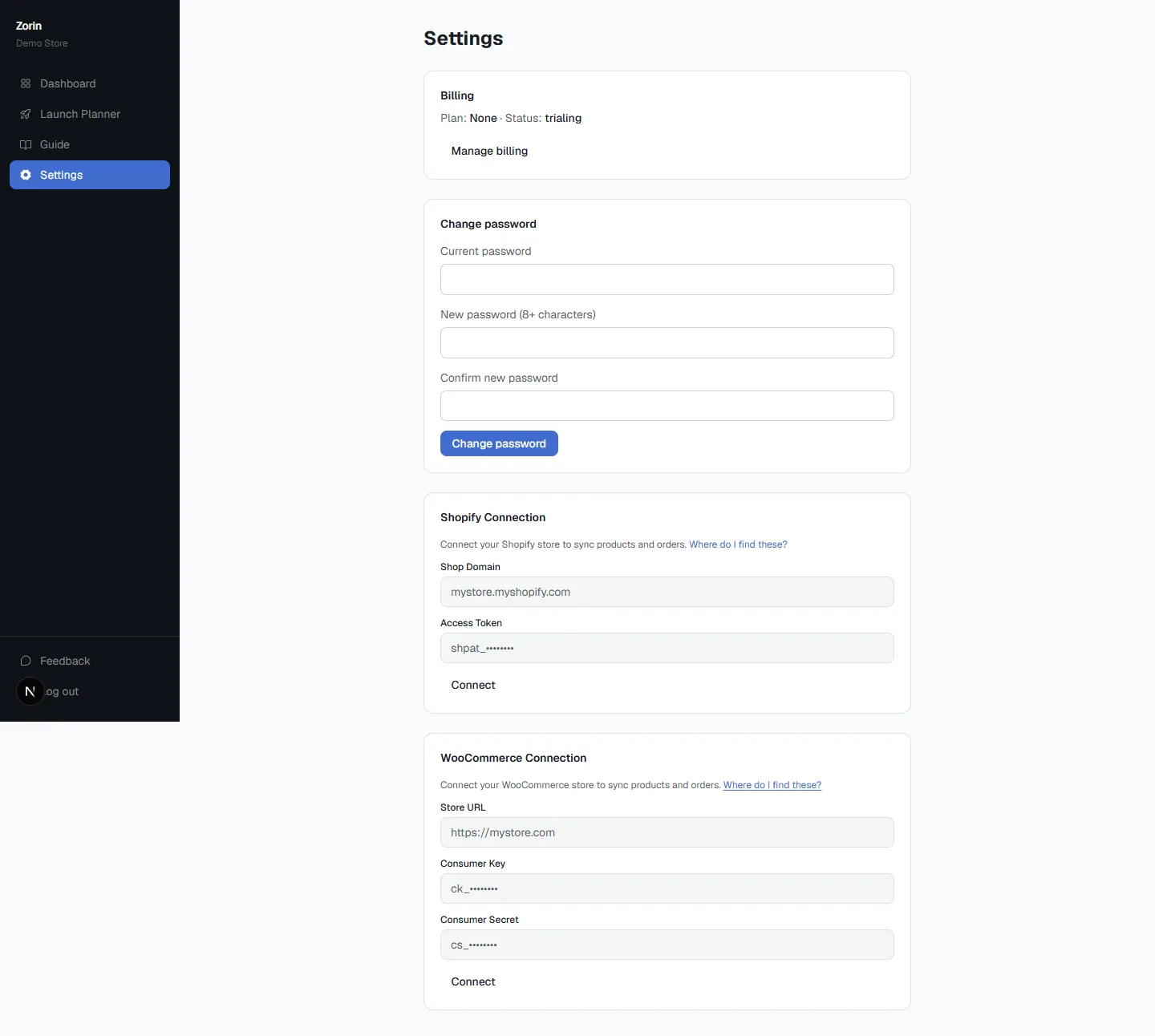
The fourth category, and the one most of the WooCommerce plugin ecosystem doesn't cover at all, reads your own historical sales at different prices and calculates price elasticity: how much your demand actually shifts when your price shifts. This is the mechanism Zorin runs. You connect your WooCommerce store or upload a sales history CSV, and it fits a log-log regression per product, returning an elasticity coefficient, an R-squared fit score, and a plain raise, lower, or hold recommendation with an estimated profit lift, not a rule you configured or a competitor's number you copied.
The distinction matters because it changes what question is actually being answered. A discount plugin answers "how do I automate this markdown." A repricer answers "what is everyone else charging." An elasticity-based tool answers "what will my own customers actually pay," which is the question underneath all the others, but the one none of the rule-based or competitor-watching tools are built to calculate.
See what Zorin's elasticity model says about your own catalog.
Start free trialWhat This Looks Like Side by Side
Say you're deciding whether to discount a slow-moving product by 15%. A discount plugin will apply that 15% the moment you tell it to, no questions asked, whether or not it actually helps. A repricer might suggest matching a competitor who dropped their price, regardless of whether your customers are as price-sensitive as theirs. An elasticity-based read of your own sales history might show the product has fairly inelastic demand, meaning a 15% cut would likely cost you more in margin than it recovers in volume, and a smaller discount or a different lever entirely (visibility, bundling) would serve you better. Only the third answer is actually grounded in your specific catalog's behavior.
Five Things Worth Checking Before You Pick One
Does it read your own sales data, or apply someone else's logic?
A rule you configured or a competitor's price you're matching are both external inputs. Ask whether the tool's recommendation comes from your own historical demand, or from a rule or reference point you (or a rival) set.
Does it show a confidence score, or just a number?
An elasticity estimate is more reliable with more price variation and sales volume behind it. Look for a model health indicator, commonly labeled Strong, Fair, or Weak fit, so a thin-data product isn't treated with the same certainty as a well-established one.
Can you test before anything goes live?
A what-if simulator that previews the projected impact of a candidate price against your own demand curve is a meaningfully different experience than committing a change and checking results a month later.
Does it separate promotional spikes from normal demand?
If your sales history includes a discount period, that spike reflects the promotion, not ordinary buying behavior. A model that doesn't flag and exclude it will produce a skewed elasticity estimate.
Does it work alongside your existing rules, or force you to rip them out?
If you already rely on wholesale role pricing or a quantity-discount plugin for legitimate reasons, the right elasticity tool should inform your baseline retail price, not require you to abandon segmentation logic that's already working.
Which Category Actually Fits Your Situation
- You already know your discount structure and just need it automated: a rule-based plugin like Discount Rules for WooCommerce or YITH Dynamic Pricing handles this well.
- You sell to both retail and wholesale or B2B customers: a role-based plugin like WooCommerce Wholesale Prices or WholesaleX is the right infrastructure, though it still doesn't tell you what either price should be.
- You're in a category where customers actively comparison shop across near-identical listings: a repricer has a real role, but shouldn't be the only signal driving your price.
- You don't actually know if your current prices are optimal, discounted or not: this is the gap an elasticity-based tool closes, and it's the question underneath all the others.
Most established stores end up using more than one: role-based pricing for wholesale buyers, a discount plugin for scheduled promotions, and an elasticity model underneath both to make sure the baseline retail price itself is actually correct before any rule or discount gets layered on top of it.
How to Test Any Pricing Tool on Your Own Store
- Connect your store or upload a sales history CSV for a handful of your best-tracked products first, ones with real price variation in the past.
- Check the confidence score before acting on any recommendation, not just the raise, lower, or hold call itself.
- Use the what-if simulator to sanity-check a recommendation against a price you'd expect to work, before applying it.
- Apply one product at a time initially, and compare the actual outcome against the projected lift.
- Keep your existing wholesale or discount rules running alongside it. The elasticity model informs your baseline price; it doesn't replace segmentation or scheduled promotions you still need.
If you haven't calculated your own catalog's elasticity yet, here's how to know what to price your products using your own sales history rather than a rule or a competitor's number. And if a sale is part of your plan either way, here's how to run one without corrupting your pricing data afterward. For how all four categories stack up across the wider market, not just WooCommerce-specific plugins, see the full 2026 pricing tools comparison. Once you're ready to see your own catalog's numbers, connect your WooCommerce store and start with a handful of products before trusting it with your whole catalog.
Key Takeaways
- "WooCommerce pricing app" covers four genuinely different tools: rule-based discount plugins, wholesale/B2B role pricing, competitor repricers, and elasticity-based tools that learn from your own sales data.
- Rule-based and wholesale plugins are useful for running fixed logic (quantity tiers, cart discounts, role pricing), but none of them tell you whether a price is actually optimal for your demand.
- Competitor repricers answer "what is the market charging," not "what will my customers pay," and can trigger a race-to-the-bottom with no regard for your own margin.
- An elasticity-based tool fits a demand model from your own historical sales, then recommends raise, lower, or hold with a stated confidence level, not a rule someone else configured.
- The right tool (or combination) depends on what you're actually trying to solve: automating a known discount structure, serving wholesale buyers, watching competitors, or finding your profit-maximizing price.
Frequently Asked Questions
What's the best WooCommerce pricing app?
It depends on the problem you're solving. Discount Rules for WooCommerce and YITH Dynamic Pricing are strong for automating fixed discount logic. Wholesale plugins like WooCommerce Wholesale Prices handle role-based B2B pricing. For finding your actual profit-maximizing price from your own sales history, an elasticity-based tool like Zorin covers ground none of the rule-based plugins do.
What's the difference between a dynamic pricing plugin and an elasticity-based tool?
A dynamic pricing plugin applies rules you configure (quantity tiers, cart discounts, role pricing). An elasticity-based tool calculates your actual price sensitivity from historical sales data and recommends a price based on that calculation, not a rule.
Do I need a competitor repricer for WooCommerce?
Only if you're in a category where customers actively comparison shop across near-identical listings. Even then, it answers what the market is charging, not what your specific customers will pay, so it shouldn't be your only pricing signal.
Can I use a wholesale pricing plugin and an elasticity tool together?
Yes. Role-based pricing handles who sees which price. An elasticity model helps determine whether the underlying retail or wholesale price is actually optimal. They solve different problems and work well alongside each other.
Will a dynamic pricing plugin tell me if my discount is actually a good idea?
No. It applies the discount you configure without evaluating whether your specific catalog's demand supports it. That evaluation is what an elasticity read of your own sales history is for.
Is Zorin a replacement for my existing WooCommerce pricing plugins?
Not necessarily. Zorin calculates your profit-maximizing baseline price from your own sales history. It's commonly used alongside, not instead of, wholesale role plugins or scheduled discount rules you already rely on.
How does Zorin read my WooCommerce data?
You connect your store with your site URL and WooCommerce REST API keys (consumer key and secret), or upload a sales history CSV directly, and the model fits an elasticity estimate per product from that history.
Most tools sold as WooCommerce pricing apps automate a rule, segment a customer, or react to a competitor, and all three are legitimate jobs. None of them calculate whether your price is actually the one that maximizes profit for your specific customers. That calculation only comes from reading your own sales history, which is the one category most of the WooCommerce plugin ecosystem still doesn't cover.
Written by Dexter
Dexter is part of the team at Zorin, building tools that help ecommerce merchants price with data instead of guesswork.
More in Pricing Tools & Software
View all →Best Dynamic Pricing Software for Ecommerce (2026)
Best dynamic pricing software for ecommerce compared: repricers, rule engines, price testing and demand-based tools, with 2026 prices and who each suits.
AI Pricing Software: How It Works and What to Ask
AI pricing software explained: the four types, how AI price optimization works, a worked example, the antitrust and model risks, and 8 questions to ask.
Pricing Intelligence vs Pricing Analytics Software
Pricing intelligence tracks competitors; pricing analytics reads your own sales. Which type of pricing software to buy first, and where Zorin fits.