WooCommerce vs Shopify Fees: Real Margin Compared
WooCommerce charges no per-transaction platform fee, which sounds like an automatic margin win over Shopify. It isn't automatic. Once you count hosting, plugins, and the same payment processing rates most stores pay either way, the real gap between the two platforms is narrower than "zero fees" suggests, and which one actually protects your margin better depends on your sales volume and your product's own numbers, not the sticker price of either platform. This guide breaks down what each platform actually costs, why WooCommerce doesn't track your margin for you the way Shopify's fee structure at least makes visible, how to calculate your real net profit, and what a discount actually does to that number once you run it.
The Short Answer
No monthly transaction fee doesn't mean no cost. WooCommerce merchants still pay a payment processor (WooPayments, Stripe, PayPal, or similar) roughly the same rate a Shopify merchant using Shopify Payments pays, plus hosting, plugins, and often a developer or agency to keep everything running. Shopify's fee structure is more visible (a plan price plus a clearly stated processing rate), which makes it easier to calculate but not necessarily cheaper at every volume level. The honest comparison has to include both platforms' full cost stack, not just the headline "transaction fee" line.
What Each Platform Actually Costs
Shopify's pricing is straightforward to quote: Basic runs $39/month, Grow $105/month, and Advanced $399/month (billed monthly; annual billing brings each down further), each with an online card rate and, if you use a payment gateway other than Shopify Payments, an additional surcharge on top of that rate. That surcharge scales down as you move up plans: 2% on Basic, 1% on Grow, 0.6% on Advanced, and 0.2% on Shopify Plus, per Shopify's pricing page. Using Shopify Payments itself removes that surcharge entirely, which is why most smaller Shopify stores end up on Shopify Payments rather than a third-party gateway.
WooCommerce has no equivalent plan fee or gateway surcharge, since it's self-hosted WordPress software, not a hosted platform charging for the privilege of running your store. What it does have: managed WordPress hosting capable of handling ecommerce traffic typically runs $30 to $100 a month, premium plugins (many stores need several: a page builder, SEO, backups, security, a checkout or subscriptions extension) can add $300 to $2,000 a year depending on what your store needs, and security plus backup services often run another $100 to $300 a year on top of that. None of that is optional in practice, even though none of it appears on a WooCommerce pricing page the way a Shopify plan price does.
| Shopify | WooCommerce | |
|---|---|---|
| Platform cost | $39-$399/month by plan | $0 (self-hosted software) |
| Payment processing | Shopify Payments rate, or a third-party gateway plus a 0.2-2% surcharge by plan | WooPayments/Stripe/PayPal at standard market rates, no platform surcharge |
| Hosting | Included in plan price | $30-$100/month, paid separately |
| Plugins/extensions | Many core features built in | $300-$2,000/year for the extensions most stores need |
| Security/backups | Included | $100-$300/year, often a separate service |
Run the full stack for both and the gap narrows considerably from "zero fees versus a monthly bill." At lower sales volumes, Shopify's all-in plan price can come out ahead once you count everything WooCommerce charges separately. At higher volumes, where Shopify's percentage-based surcharges start compounding into real dollars, WooCommerce's flat hosting and plugin costs stop scaling with revenue the way a percentage fee does, which is where the "no transaction fee" argument actually starts to hold up.
Why WooCommerce Doesn't Track Margin for You
Here's the part that matters more than the fee comparison for most stores already running on one platform or the other: WooCommerce shows you revenue by default, not cost, not margin. Unlike Shopify, where a processing fee at least shows up as a visible line on every transaction, WooCommerce simply doesn't know what a product cost you to acquire or make unless you tell it, through a cost-of-goods plugin or manual tracking outside the platform entirely. A store can look highly profitable on a WooCommerce revenue dashboard while actually losing money on every order, and the platform itself gives no warning.
This isn't a flaw exactly, WooCommerce is ecommerce software, not accounting software, but it does mean the fee-comparison question above is almost the wrong question to be asking first. The more useful one is whether you actually know your real net profit margin on either platform, since neither one calculates it for you automatically out of the box.
How to Calculate Your Real Net Profit Margin
Start from your selling price and subtract everything that's actually tied to making and delivering that sale: cost of goods sold (what you paid a supplier or spent on materials and labor), payment processing fees, a proportional share of your monthly hosting and plugin costs allocated per order, an estimated refund cost based on your store's actual refund rate, and any ad spend directly attributed to that sale if you want net profit after marketing rather than just gross-of-marketing margin. Skipping any one of these, especially the proportional hosting/plugin allocation, is the most common way a WooCommerce store's revenue looks healthier than its actual profit.
Worked example: a product sells for $45, costs $16 in COGS, processing runs about $1.61 (2.9% + $0.30 on a standard rate), and you allocate roughly $2 per order toward hosting and plugin costs based on your typical order volume. That's $45 minus $16 minus $1.61 minus $2 = $25.39, a margin of about 56.4% before ad spend, or lower once marketing cost per order is factored in. Running this once for a representative product tells you more about your real economics than any platform-fee comparison does on its own.
See what Zorin's elasticity model says about your own catalog.
Start free trialWhat a Discount Actually Costs Your Margin
Here's the math that catches merchants off guard: a 20% coupon on a product with a 30% gross margin doesn't leave you at 10% margin after the discount, it leaves you closer to that once you also count the other costs still sitting between gross and net. If a $50 product with 30% gross margin ($15 profit before other costs) takes a 20% discount, the new selling price is $40, and that same $15 in absolute product-cost gap is now a much thinner share of a smaller number, before payment fees, hosting allocation, and refund risk get subtracted at all. Run the actual math on your own products before running a sale, not after, the free Shopify or WooCommerce profit margin calculator does this in seconds for a specific product and discount level.
What's a Good Margin to Target
What counts as a healthy net margin depends heavily on category. Digital products (courses, downloads, software) can run far higher than physical goods because there's no cost of goods, shipping or fulfillment eating into each sale, while physical goods in competitive categories often end up with net margins in the teens once every real cost is counted. Our gross margins by category research shows how widely even public companies differ, and ecommerce profit margin benchmarks covers what to target.
Protecting Margin on Either Platform
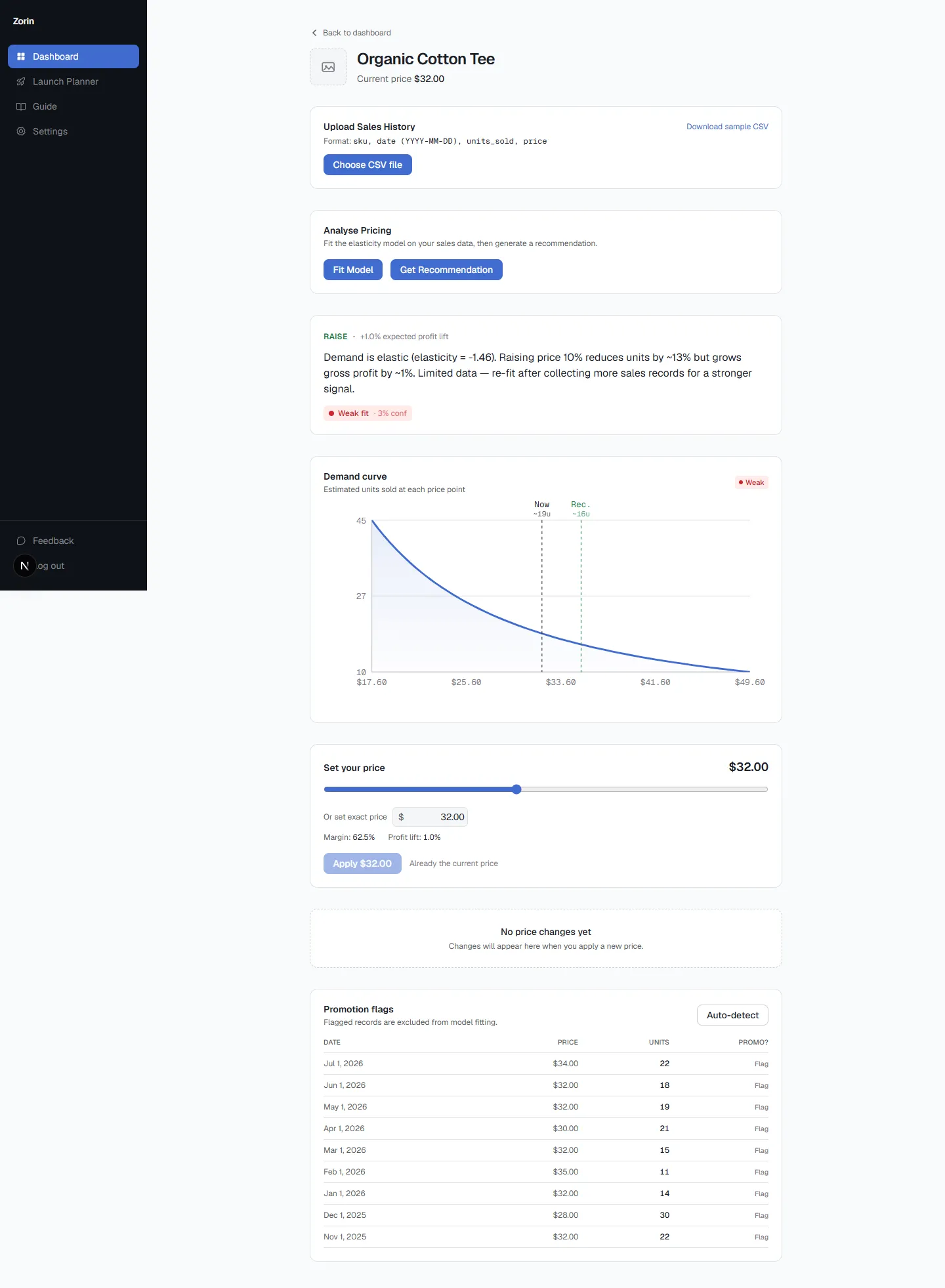
Whichever platform's fee structure comes out ahead on paper for your specific volume, the more useful question is what your real net profit margin actually is right now, and which of your products can absorb a price increase without losing the customers that make the margin worth having. Zorin connects to Shopify or WooCommerce equally and computes real profit tracking automatically from your actual sales history, cost of goods, and fees, alongside a per-SKU raise, lower, or hold recommendation with a confidence score. The platform-fee comparison matters for choosing where to build your store. It matters much less once the store exists and the real question becomes what to charge.
Key Takeaways
- WooCommerce's lack of a platform transaction fee doesn't automatically mean better margin once hosting ($30-100/month), plugins ($300-2,000/year), and standard payment processing rates are counted.
- Shopify's third-party gateway surcharge scales down by plan (2% on Basic to 0.2% on Plus), and disappears entirely if you use Shopify Payments directly.
- WooCommerce shows revenue by default, not cost or margin, a real gap that means most stores need to calculate their real net profit manually or with a dedicated tool rather than reading it off a dashboard.
- A 20% discount on a 30%-gross-margin product cuts into profit faster than the percentage suggests once payment fees, hosting allocation, and refund risk are subtracted from a now-smaller selling price.
- Zorin computes real profit tracking and per-SKU pricing recommendations from either platform's sales history. Start a free trial to see your own numbers regardless of which platform you're on.
The platform-fee question is worth answering once, when you're choosing where to build. The margin question needs answering continuously, on every product, regardless of which platform you picked. Start a free trial and see what your own catalog's real numbers look like.
Frequently Asked Questions
How do I calculate my real net profit margin on WooCommerce?
Subtract cost of goods sold, payment processing fees, a proportional share of your monthly hosting and plugin costs, an estimated refund cost, and any directly attributed ad spend from your selling price. WooCommerce doesn't calculate this automatically, so most stores need a cost-of-goods plugin or a dedicated tool to track it per order.
Does WooCommerce track my profit margin automatically?
No. WooCommerce shows revenue by default, not cost or margin, since it's ecommerce software rather than accounting software. Unless you add a cost-of-goods plugin or track costs separately, a WooCommerce dashboard can look profitable while individual products are actually losing money.
How much does a discount actually cost my margin on WooCommerce?
More than the discount percentage alone suggests. A 20% discount reduces your selling price, and the same absolute product-cost gap becomes a thinner share of that smaller number, before payment fees, hosting allocation, and refund risk are even subtracted. Run the numbers on a specific product before running a sale, not after.
Are WooCommerce's lower fees actually better for my margin than Shopify's?
Not automatically. WooCommerce has no platform transaction fee, but hosting ($30-100/month) and plugins ($300-2,000/year) replace that cost, and payment processing rates are similar on both platforms. At lower sales volumes, Shopify's all-in plan price can come out ahead; at higher volumes, WooCommerce's flat costs (which don't scale with revenue the way a percentage surcharge does) tend to pull ahead instead.
What's a good profit margin for a WooCommerce store?
It depends heavily on category. Digital products can run much higher margins than physical goods because there's no cost of goods or shipping to subtract, while physical goods in competitive categories often land in the teens once every cost is counted. Compare against benchmarks for your own category rather than a single ecommerce-wide number.
Does Shopify or WooCommerce have lower payment processing fees?
The base processing rates are similar on both platforms when using their native payment options (Shopify Payments or WooPayments). The real difference is Shopify's additional surcharge (0.2% to 2%, depending on plan) if you use a third-party gateway instead of Shopify Payments, a cost WooCommerce simply doesn't have since it isn't tied to one payment provider.
Should I switch platforms to get better margin?
Rarely on fee structure alone. The full cost comparison is closer than "zero fees versus a monthly bill" suggests once hosting, plugins, and processing rates are counted on both sides, and a platform migration carries real cost and risk of its own. Calculating your actual real net profit margin on your current platform is almost always a faster, lower-risk way to improve profitability than switching platforms.
No platform fee sounds like an automatic advantage, but WooCommerce's real costs just show up in different places, hosting, plugins, and the same processing rates most stores pay anyway. The platform comparison matters once, when you're choosing where to build. Knowing your real net profit margin on whichever platform you're already using matters every day after that, see what to target and how to track it regardless of which platform you're on. Start a free trial to see your own numbers.
Written by Dexter
Dexter is part of the team at Zorin, building tools that help ecommerce merchants price with data instead of guesswork.
More in Margin & Profit Fundamentals
View all →Margin vs Markup: Formulas, Chart & Examples
Markup is profit over cost; margin is profit over price. Formulas, a margin to markup chart, Costco and e.l.f. examples, and the mistake that costs you.
Ecommerce Profit Margins: Benchmarks & Tracking
Healthy ecommerce profit margins by category, gross vs net, margin vs markup, and how to track the gap on Shopify before it quietly eats your profit.
How to Know If Your Prices Are Too High or Too Low
Declining sales and high close rates are lagging signals. Price elasticity tells you before you change anything, not after the damage is done.